
See the payables aging
The payables aging shows the amount that the company owes to each supplier on a date, in five age buckets. You must have the View party reports permission.
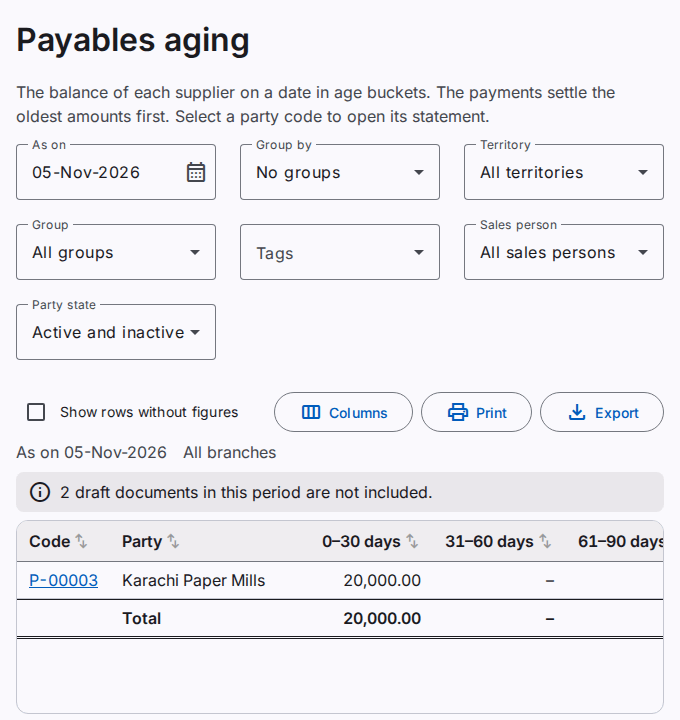
The report uses the same rule as the receivables aging, from the other side:
- The report puts each credit of the supplier (for example a purchase) in the bucket of its age.
- The report applies all the debits of the supplier (for example the payments) to the oldest bucket first.
- When the debits are more than the credits, the remainder shows in Advance.
The criteria, the groups and the filters are the same as in the receivables aging. Refer to See the receivables aging.
Open the statement of a supplier
Select the code of a supplier. The statement of the supplier opens.
Sort the rows
Select the name of a column to sort the rows by that column. Select it again to sort in the opposite direction. Select it a third time to show the rows in the order of the report. In a group, the rows sort in the group. The sort is on the screen only. The print and the export use the order of the report.
Print or export the report
Select Print to make a PDF file. Select Export to save an Excel or CSV file. Refer to Print and export a report.