
Accept the role updates
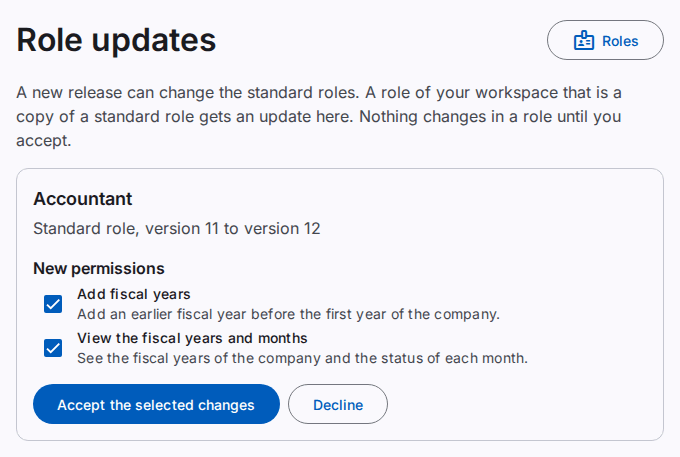
A new release can change the standard roles, for example when a new part of the product comes. A role of your workspace that is a copy of a standard role then gets an update. The Role updates page shows the updates. Nothing changes in a role until you accept the update.
You must have the Review role updates permission. Usually only the workspace administrator has it. This permission is not available in a support session.
When updates come, the workspace administrators get a notice. Select the notice to open the page.
Accept or decline an update
Each update shows the role, the new permissions, and the permissions that the new version removes. All items are selected at first.
- Clear the items that the role must not get or lose.
- Select Accept the selected changes. To keep the role as it is, select Decline.
- If the Confirm it is you dialog opens, type your Password. Select Confirm.
The page shows "The role is updated." The users of the role get the new permissions at once. The security log records each decision.
Note: an item that you clear or decline does not come again. You can add any permission to a role later. Refer to Make or change a role.