
Find the parties
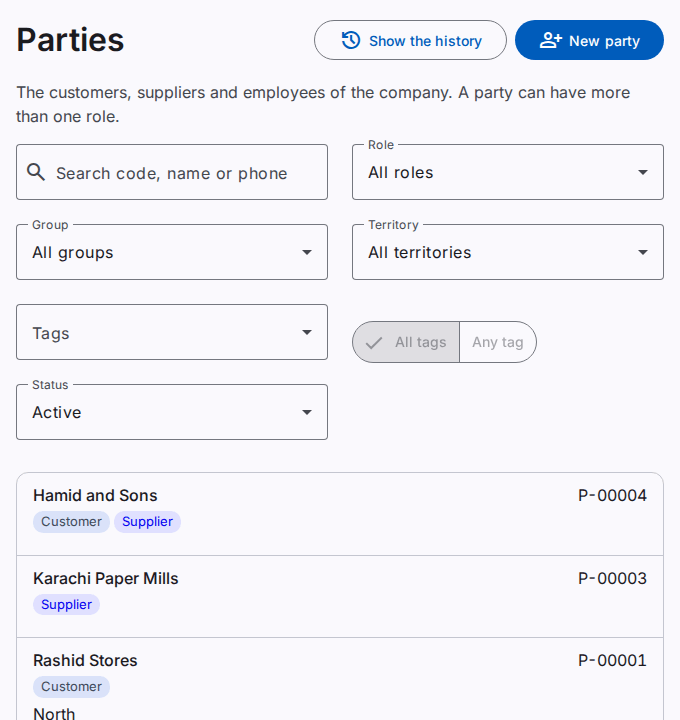
A party is a customer, a supplier or an employee of the company. One party can have more than one role, for example a customer that is also a supplier. The Parties page shows the parties of the working company. You must have the View parties permission.
A field agent sees only the customers of their own territories. Refer to Manage the territories.
Find a party
- In the Search code, name or phone field, type a part of the name, the start of the code, or the digits of a phone number.
- The list shows the parties that agree with the text. The list shows 50 parties on each page, by name.
A phone number agrees in all its forms. For example, "0300 1234567" and "+92 300 1234567" are the same number.
Use the filters
- Role: customers, suppliers or employees.
- Group: the parties of one customer group or supplier group.
- Territory: the parties of a territory and of the territories under it.
- Tags: the parties with the selected tags.
- Status: active parties, inactive parties, or both.
With two tags or more, select All tags or Any tag. All tags shows the parties that have every selected tag, for example "Wholesaler" and "Importer". Any tag shows the parties that have one of the tags or more.
The filters stay in the address of the page. You can keep the address as a bookmark.
Add a party
Select New party. Refer to Add or change a party.