
See the balances of the cash registers
The cash register balances report shows the cash that each register holds on a date. You must have the View cash and bank reports permission.
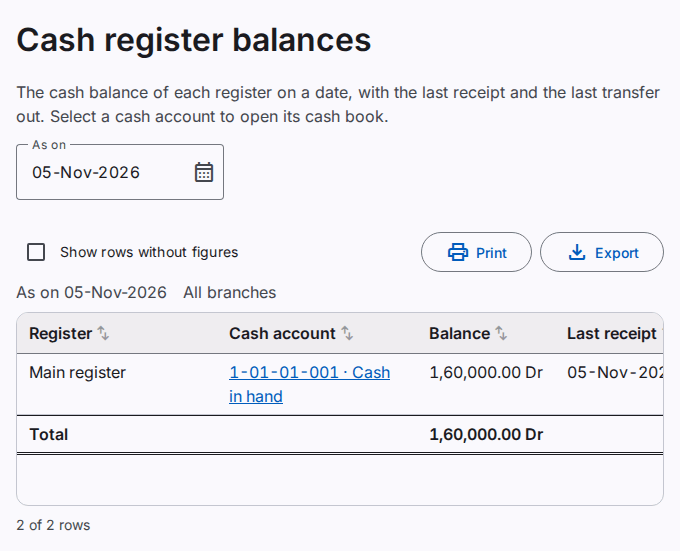
- In the menu, select Reports › Cash register balances.
- Type the date in As on. The default is today.
Each row shows:
- the register: the main register, or the agent register of a user;
- the cash account of the register and its balance;
- the date of the last receipt;
- the date of the last transfer out of the register, and the number of days since that transfer.
An agent must give the cash to the main register regularly. Many days since the last transfer can show that a handover is late. Refer to Give a user a cash register.
Open the cash book of a register
Select the cash account of a row. The cash and bank book of the account opens.
Sort the rows
Select the name of a column to sort the rows by that column. Select it again to sort in the opposite direction. Select it a third time to show the rows in the order of the report. In a group, the rows sort in the group. The sort is on the screen only. The print and the export use the order of the report.
Print or export the report
Select Print to make a PDF file. Select Export to save an Excel or CSV file. Refer to Print and export a report.